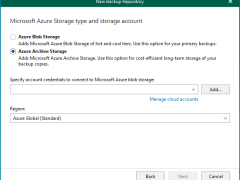
In Veeam Backup for Microsoft 365 version 8.2, adding a Microsoft Azure Archive Storage repository involves a multi-step wizard within the Backup Infrastructure view. This repository type is specifically designed for long-term retention and supports Backup Copy jobs.
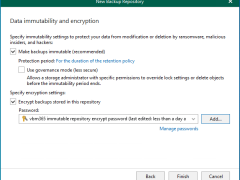
Integrating Microsoft Azure Blob Storage repositories with immutability requires configuring both the Azure storage account and Veeam Backup for Microsoft 365 to leverage Azure’s immutable storage capabilities.
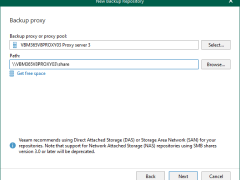
Network Attached Storage can also be used with Veeam Backup for Microsoft 365 as a backup repository. These Network Attached Storage devices can be accessed and configured via a shared folder on your computer or any other physical device accessed using the SMB protocol.
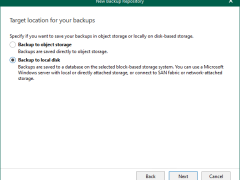
To add a local directory or Direct Attached Storage (DAS) as a backup repository in Veeam Backup for Microsoft 365, you need to use the Veeam Backup for Microsoft 365 console and select the server hosting the storage as a backup proxy.
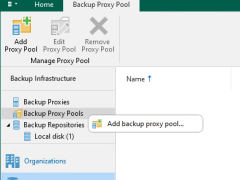
Version 8 of Veeam Backup for Microsoft 365 introduced proxy pools to improve performance and scalability in large installations. By logically combining several backup proxies, a proxy pool enables dynamic load distribution of backup and restore traffic, removing bottlenecks and accelerating processes.
Veeam Backup for Microsoft 365 consists of Backup proxy servers, Backup Proxy Pools, Backup Local repositories, and Object storage repositories. These are configured as locations for Microsoft 365 backup data. These can be configured on-premises, in the cloud, or in a hybrid configuration.
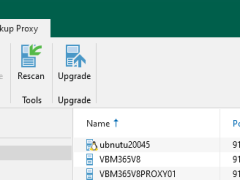
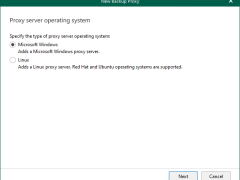
Windows Backup proxy servers are auxiliary servers that you can configure to improve performance, scalability, and flexibility.
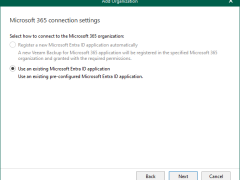
When you add an organization using the modern app-only authentication method, Veeam Backup for Microsoft 365 automatically grants permissions for Microsoft Entra applications.
Anyway, if you prefer to use a custom application of your own, grant all the permissions as below.