Upgrade Veeam Backup for Microsoft 365 to v8.6.0.1102
Veeam released Veeam Backup for Microsoft 365 v8.6 on September 14, 2026, which included new features and Enhancements. It also fixed some bugs.

Veeam released Veeam Backup for Microsoft 365 v8.6 on September 14, 2026, which included new features and Enhancements. It also fixed some bugs.
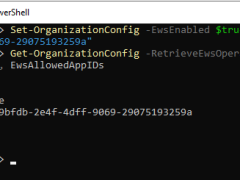
Microsoft begins disabling EWS tenant by tenant on October 1, 2026. Tenants that have not explicitly enabled EWS will be blocked automatically as the rollout proceeds.

Veeam Backup for Microsoft 365 uses the Veeam Azure archiver appliance, a small virtual machine deployed in Azure, to efficiently move backed-up M365 data (Exchange, SharePoint, Teams, OneDrive) into Azure Archive Storage (cold tier) for long-term, low-cost retention, minimizing data egress and speeding up copy jobs by processing data locally within Azure.
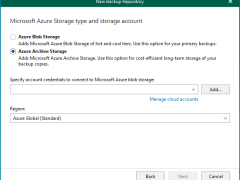
In Veeam Backup for Microsoft 365 version 8.2, adding a Microsoft Azure Archive Storage repository involves a multi-step wizard within the Backup Infrastructure view. This repository type is specifically designed for long-term retention and supports Backup Copy jobs.
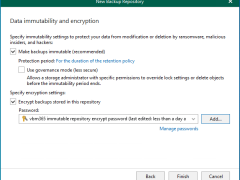
Integrating Microsoft Azure Blob Storage repositories with immutability requires configuring both the Azure storage account and Veeam Backup for Microsoft 365 to leverage Azure’s immutable storage capabilities.
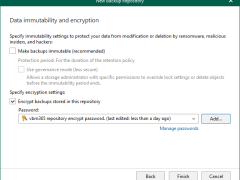
We will add Azure Blob Storage, which lacks immutability, to our Veeam Backup for Microsoft 365 Infrastructure in the following steps.
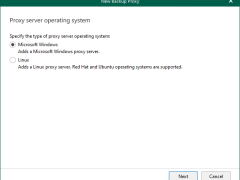
Veeam Backup for Microsoft 365 consists of Backup proxy servers, Backup Proxy Pools, Backup Local repositories, and Object storage repositories. These are configured as locations for Microsoft 365 backup data. These can be configured on-premises, in the cloud, or in a hybrid configuration.
Windows Backup proxy servers are auxiliary servers that you can configure to improve performance, scalability, and flexibility.
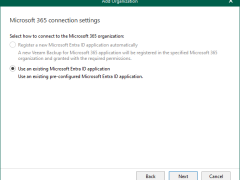
When you add an organization using the modern app-only authentication method, Veeam Backup for Microsoft 365 automatically grants permissions for Microsoft Entra applications.
Anyway, if you prefer to use a custom application of your own, grant all the permissions as below.
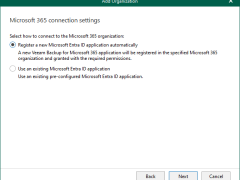
Registering a new Microsoft Entra ID application automatically is unavailable if you want to back up team chats and have selected Team chats at the Organization Deployment Type step.
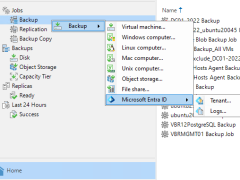
Veeam Backup for Microsoft Entra ID Logs to protect tenant audit and sign-in logs.
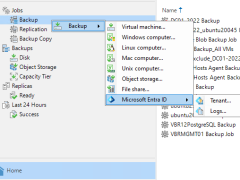
One backup job can protect the data of only one tenant.
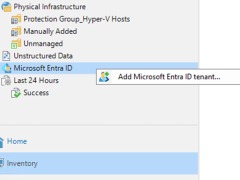
After you’ve added a Microsoft Entra ID tenant to the backup infrastructure, you can backup and restore Entra ID resources managed by the tenant.
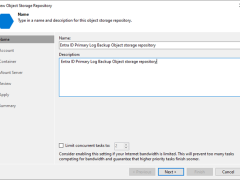
A log backup repository is a storage area where Veeam Backup for Microsoft Entra ID keeps backups of audit and sign-in logs from protected Microsoft Entra ID tenants.
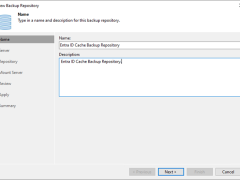
Beginning with version 12.3, the Veeam Backup & Replication solution allows you to add Microsoft Entra ID tenants to the backup infrastructure and manage data protection and recovery operations for these tenants from a single console.
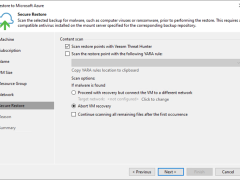
This section describes how to recover (or move) a backup VM to Microsoft Azure.
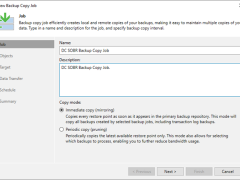
This section describes creating a backup copy job that off-loads to the Azure blob after performing a full backup. It will not use the Azure Blob archive tier.
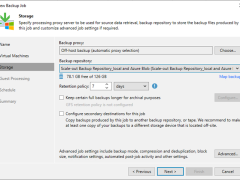
This section describes creating a backup job that backs up at local repositories to sync backup files with Azure cloud and off-loads Azure blob after performing a full backup. It would be best to have a scale-out repository ready before beginning this backup job.
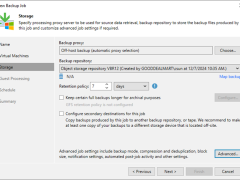
This procedure immediately creates a backup job to backup to Azure Blob Repository without local repositories.
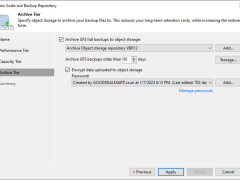
This section describes how to add Azure Blob Object Storage Repositories as the performance tier (hot tier), a capacity tier (cool tier) and an archive (cold tier) tier of the scale-out repository.
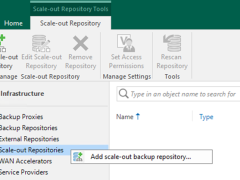
A scale-out backup repository allows for horizontal scaling for multi-tier data storage.