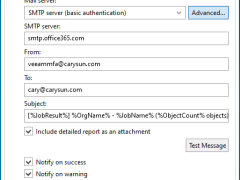
You can configure Microsoft 365 with an MFA-enabled account for notification settings. This can be used to send email notifications about backup job results.
Veeam Backup for Microsoft 365 uses the Veeam Azure archiver appliance, a small virtual machine deployed in Azure, to efficiently move backed-up M365 data (Exchange, SharePoint, Teams, OneDrive) into Azure Archive Storage (cold tier) for long-term, low-cost retention, minimizing data egress and speeding up copy jobs by processing data locally within Azure.
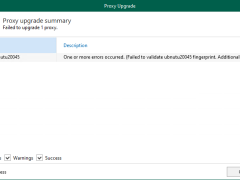
The upgrade failed because the SSH public key fingerprint of the Linux proxy does not match Veeam’s expectations. This typically happens when the proxy’s SSH keys are changed, the server is rebuilt, or the fingerprint stored in Veeam is outdated.
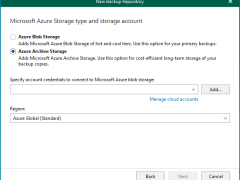
In Veeam Backup for Microsoft 365 version 8.2, adding a Microsoft Azure Archive Storage repository involves a multi-step wizard within the Backup Infrastructure view. This repository type is specifically designed for long-term retention and supports Backup Copy jobs.
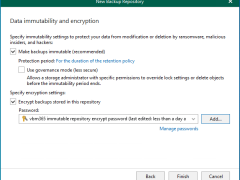
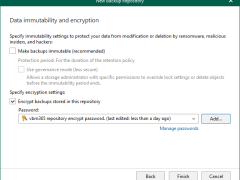
Integrating Microsoft Azure Blob Storage repositories with immutability requires configuring both the Azure storage account and Veeam Backup for Microsoft 365 to leverage Azure’s immutable storage capabilities.
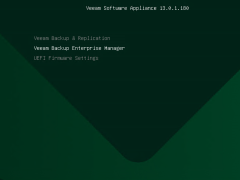
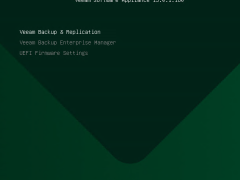
To install the Veeam Backup Enterprise Manager on Linux (Veeam Software Appliance) at Hyper-V 2025, you must first build a special Windows Server 2025 Hyper-V virtual machine (VM) that satisfies hardware requirements. Then, you must boot the VM from the VSA ISO.
Veeam Software Appliance is a software solution that includes Enterprise Manager or Veeam Backup & Replication along with the Rocky Linux operating system.
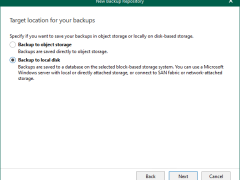
To add a local directory or Direct Attached Storage (DAS) as a backup repository in Veeam Backup for Microsoft 365, you need to use the Veeam Backup for Microsoft 365 console and select the server hosting the storage as a backup proxy.
In order to install the Veeam Software Appliance (VSA) on Hyper-V 2025, you must first build a special Windows Server 2025 Hyper-V virtual machine (VM) that satisfies hardware requirements. Then, you must boot the VM from the VSA ISO.
A new pre-hardened Linux-based deployment option for Veeam Data Platform, the Veeam Software Appliance is easier, safer, and quicker to set up than conventional installations and supports a high-availability cluster.
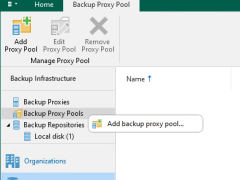
Version 8 of Veeam Backup for Microsoft 365 introduced proxy pools to improve performance and scalability in large installations. By logically combining several backup proxies, a proxy pool enables dynamic load distribution of backup and restore traffic, removing bottlenecks and accelerating processes.
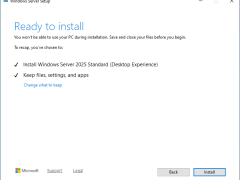
Make sure you are running Veeam Backup & Replication version 12.3.1 or later to perform an in-place upgrade to Windows Server 2025, since version 13.0.1 enables in-place upgrades from this version. First, create a full backup of your existing Veeam configuration database and install the updated Veeam Backup & Replication 13.0.1.180 ISO, which is now available for Windows Server 2025.
Veeam Backup for Microsoft 365 consists of Backup proxy servers, Backup Proxy Pools, Backup Local repositories, and Object storage repositories. These are configured as locations for Microsoft 365 backup data. These can be configured on-premises, in the cloud, or in a hybrid configuration.
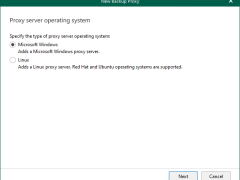
Windows Backup proxy servers are auxiliary servers that you can configure to improve performance, scalability, and flexibility.
Veeam Backup Enterprise Manager v13 is a centralized management and reporting tool designed by Veeam Software for overseeing Veeam Backup & Replication deployments. It allows administrators to control and monitor their backup infrastructure through a web-based interface, making it easier to manage large-scale environments.
Veeam Backup & Replication v13 is available for Microsoft Windows as self-managed installable software and as a fully managed software appliance.
The Veeam Backup & Replication console is installed on the backup server automatically when you install Veeam Backup & Replication v13. You can utilize the web user interface (UI) or install the Veeam Backup & Replication console on a dedicated computer to access Veeam Backup & Replication remotely.
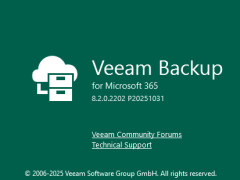
Veeam released a version of Veeam Backup for Microsoft 365 v8.2.0.2202 (P20251031) on November 06, 2025, and it resolved the issue – A backup job may fail when processing Archive Mailbox objects with the following error:
Processing archive mailbox: username@organization.com failed with error: Mailbox is not fully configured.
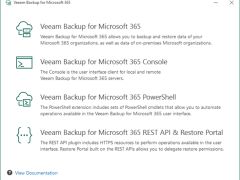
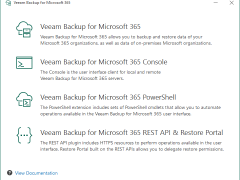
There are benefits such as enhanced scalability, flexibility, and security when a restore portal and a REST API are installed on a separate computer. This architecture increases the total performance and dependability of the system by enabling autonomous development, scaling, and maintenance of each component.
When you install Veeam Backup for Microsoft 365, the PowerShell Toolkit is automatically installed on the backup server. If you want to run Veeam Backup for Microsoft 365 PowerShell sessions on remotely, you can install the PowerShell Toolkit on a dedicated machine.