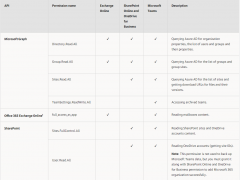
When you add organization using the modern app-only authentication method, the permissions for Azure AD applications that are granted automatically by Veeam Backup for Microsoft 365.
Anyway, if you prefer to use a custom application of your own, make sure to grant all the permissions as below.
Cyberattack is one of the fastest growing crimes in the world, we have seen passwords being leaked regularly, local administrator account is like God of machine, it has superpower to do anything for the machine. A lot of IT guys simply use the same password for all local administrator accounts, the attacker easy access to the whole estate if one machine is breached.
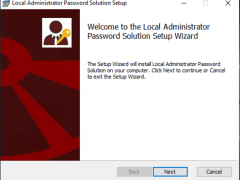
Microsoft LAPS is one of solutions to prevent the issues, The “Local Administrator Password Solution” (LAPS) provides management of local account passwords of domain joined computers. Passwords are stored in Active Directory (AD) and protected by ACL, so only eligible users can read it or request its reset. Today, I am going to show you how to deploy it.
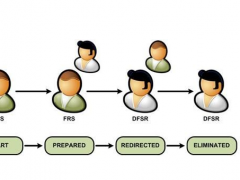
If you are trying to promo windows server 2019 as domain controller, it happened “Verification of replica failed. The specified domain {Domain-Name} is still using the File Replication Service (FRS) to replicate the SYSVOL share. FRS is depreciated.” Error, this is because Windows Server version 1709 (or after version) can no longer be added as an Active Directory domain controller (DC) to an existing domain that is still using File Replication Service (FRS) for replication of the SYSVOL share.
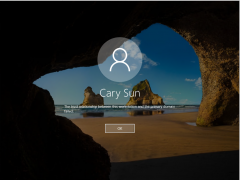
If you tried to restore VMs (or physical machines) and it shows the trust relationship between this workstation and the primary domain failed, I won’t recommend using rejoin domain to solve issues, because it will happen unexpected issues after disjoin and rejoin domain.
Today, I am going to show you how to fix it without disjoin and rejoin domain.
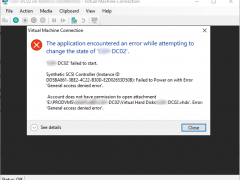
If you try to start a Hyper-V VM but failed, the error message shows Account does not have permission to open attachment VHDX General access denied error, don’t panic, today I am going to show you how to fix it.
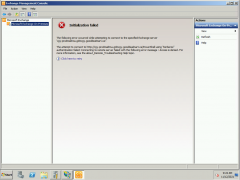
If you try to open Exchange management console but show Initialization failed “Kerberos” Authentication failed error, don’t panic, today, I am going to how to fix it.
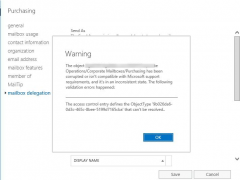
If you are trying to change mailbox delegation settings via Exchange Admin center and show the access control defines the ObjectType {xxx-xxxx-xxx-xxxx} that can’t be resolved tab mailbox delegation, don’t panic, today, I am going to how to fix it.
Today I am going to show you how to fix Veeam backup failed and showed host is either not a cluster or has its cluster services unavailable error message.
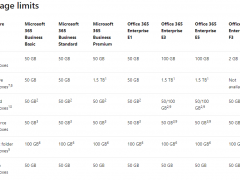
If your organization currently has subscriptions to Office 365 Enterprise E3 or E5, the default mailbox storage limit is supported 100GB. You can check it from the account information of outlook.
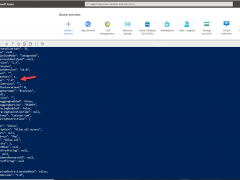
Unfortunately, there are many people noticed the default size is still showing 50GB, today, I am going to show you how to increase it to 100GB.
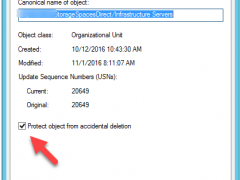
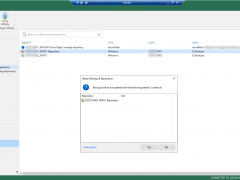
Today, we help our client to build a new S2D server as new Veeam Repository, now, we need to move the SOBR performance tier from the old repository server to this new server, I am going to show you how to move it.